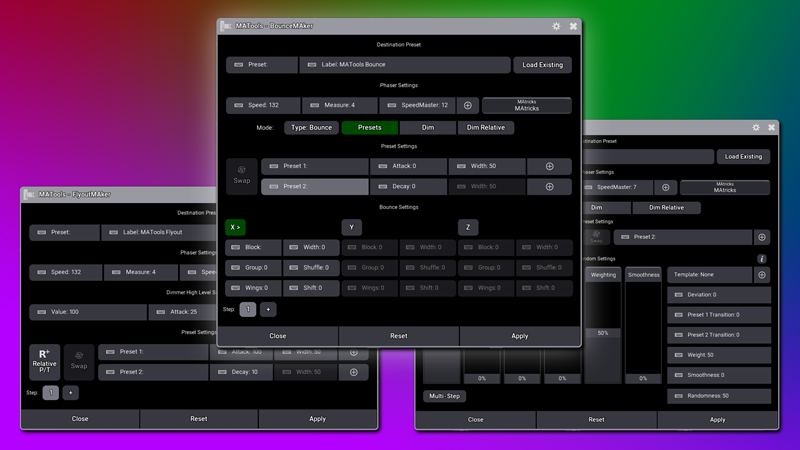
Overview
Create Flyout phasers between presets easily using this plugin. You can create a Flyout phaser using any attribute such as Pan/Tilt, Colour, Zoom or any combination of attributes to create a variety of visually unique phasers. The plugin also allows you to create multi-step Flyouts. This means, within one phaser, you can create a Flyout from Postion A>B and then C>D.

Key Features
Destination Preset
Set a destination preset and give it a custom label to allow the plugin to store the Flyout you create so you can edit the settings at a later date. We reccomend using an empty All Preset Pool item to store your Flyout to.

Dimmer Settings
Adjust the dimmer high level value for each step. You can also change the attack and decay of the dimmer for your Flyout here.

Preset Settings
Input your two presets and adjust the width of the steps for your Flyout. You can type the preset number (such as 2.1) or use the "+" icon to select from a popup list.

Relative Settings
Create Relative Pan/Tilt flyouts by switching into Relative mode. This mode allows you to create waterfall style Flyouts around the fixture's current position quickly and simply.

Step Settings
Create Relative Pan/Tilt flyouts by switching into Relative mode. This mode allows you to create waterfall style Flyouts around the fixture's current position quickly and simply.